AI Subtitle Generator
for videos that need real subtitle exports
Upload your video, generate accurate subtitles automatically, edit timing online and export SRT, VTT, ASS or a video with hardcoded subtitles.
- Automatic subtitles
- Online editor
- SRT / VTT / ASS export
- Burned MP4 subtitles
What is an AI subtitle generator?
An AI subtitle generator turns spoken audio in a video into time-coded subtitle lines. With Subvideo.ai, you can generate subtitles automatically, edit them online, translate them and export them in professional formats such as SRT, VTT and ASS.
Automatic subtitle creation
Upload a video and let AI create timed subtitle lines as a starting point for your final version.
Editable subtitle timing
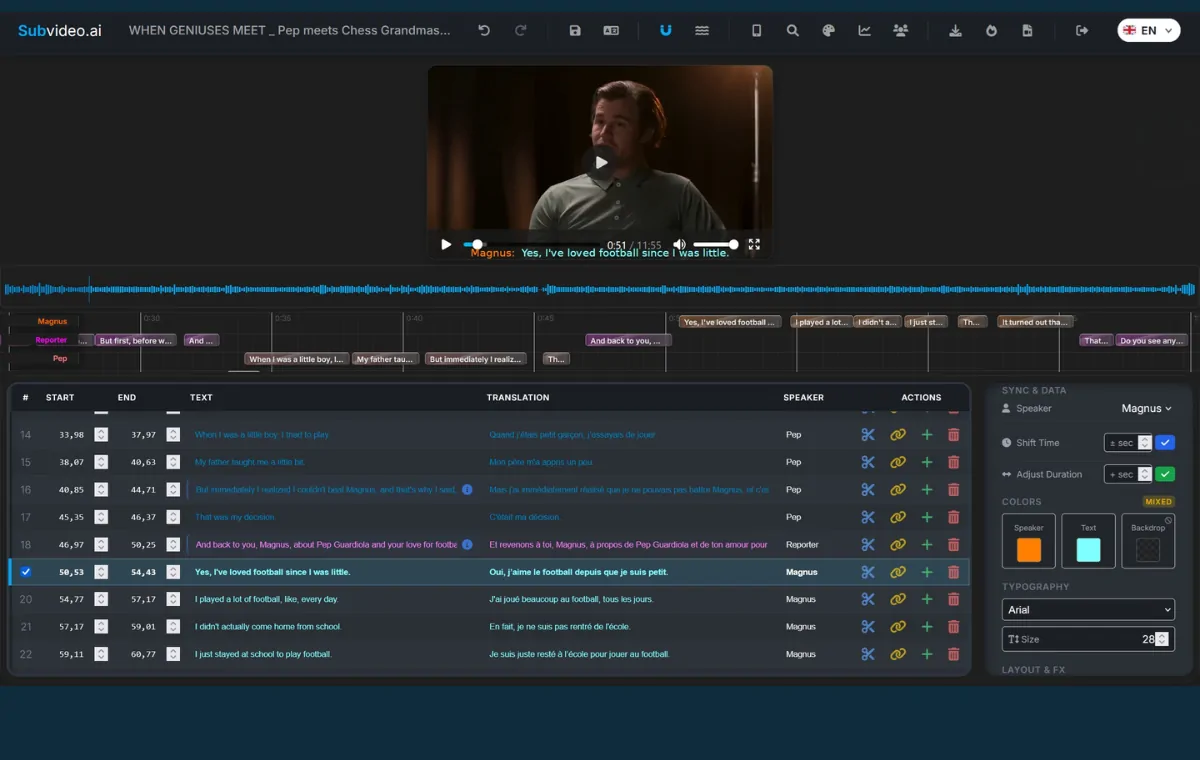
Correct start and end times, split or merge lines and preview subtitles directly on the video.
Real export formats
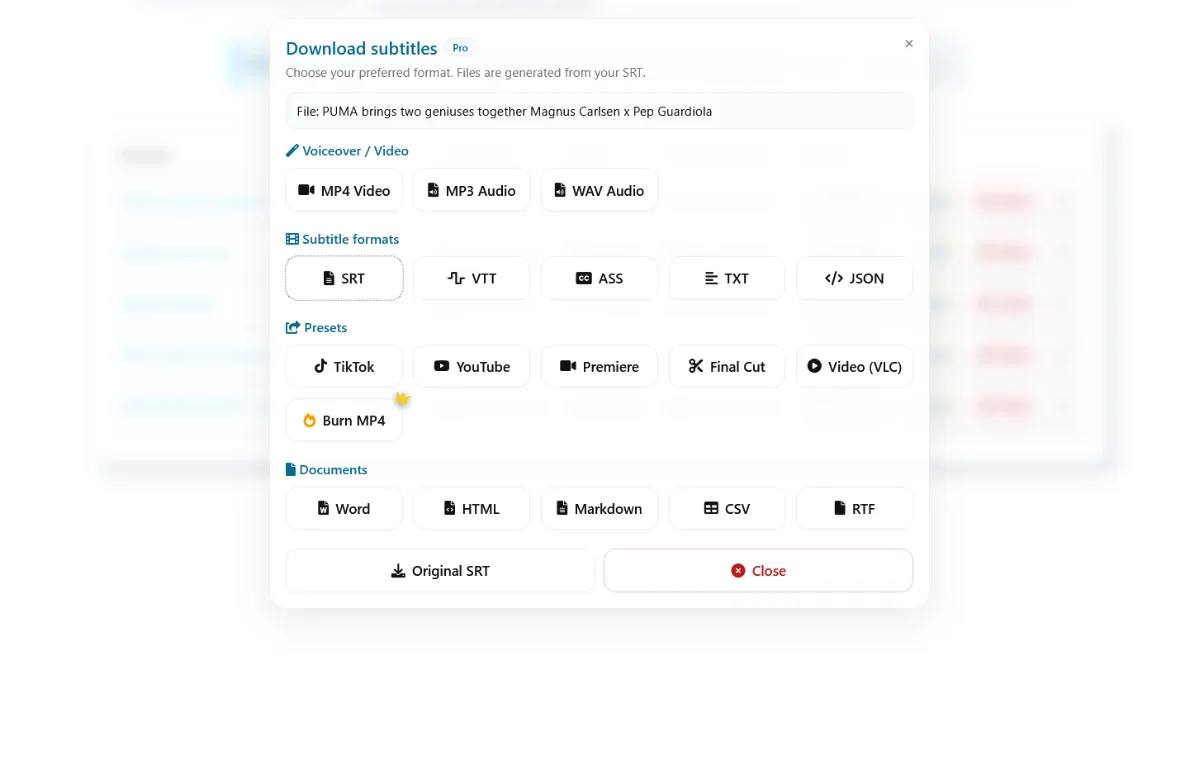
Export subtitles as SRT, VTT, ASS and other formats — or render a video with subtitles permanently embedded.
Why Subvideo.ai is more than automatic captions
Many tools create captions. Subvideo.ai focuses on the complete workflow after generation: editing, translation, styling, exporting and burned-in video output.
Download common formats like SRT and VTT or use ASS when you need styling, position and subtitle appearance control.
AI gives you speed, but you keep control over wording, timing and layout before exporting.
Create hardcoded subtitle videos for social platforms where subtitles must always be visible.
Translate subtitles and use edited subtitle text as the basis for multilingual video workflows and AI voiceover.
How to generate subtitles with Subvideo.ai
The workflow is designed to be simple for quick subtitle exports and powerful enough for advanced editing.
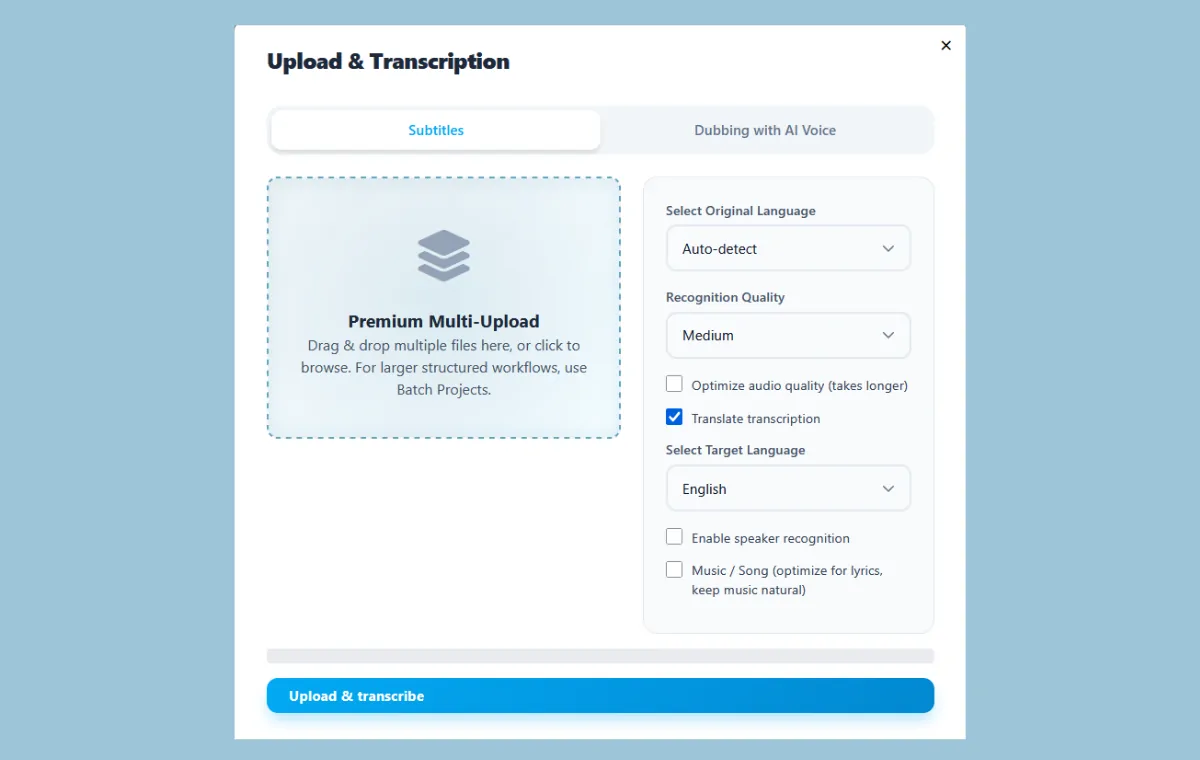
Choose a video or audio file and select the spoken language or automatic detection.
Subvideo.ai analyzes the audio and creates time-coded subtitle lines.
Correct text, adjust timing, split long lines and preview subtitles directly on the video.
Create translated subtitle versions and refine them before export.
Download SRT, VTT, ASS, TXT, PDF, DOCX, CSV and more depending on your workflow.
Render a final MP4 with hardcoded subtitles for social media, clients or publishing platforms.
Who should use this subtitle generator?
Subvideo.ai is made for creators and teams who need more than a raw transcript.
YouTubers & creators
Create subtitles for YouTube videos, Shorts, Reels and TikToks — then export files or burned-in MP4s.
Agencies & video teams
Prepare subtitle files, translated versions and review formats for client workflows.
Courses & tutorials
Make educational videos easier to follow and export subtitle files for learning platforms.
Subtitle export formats
Export subtitles for publishing, editing, review, translation or hardcoded video output.
SRT
The most common subtitle format for YouTube, VLC and many platforms.
VTT
Ideal for HTML5 video players and web-based subtitles.
ASS
Useful when you need subtitle styling, colors, positioning and advanced formatting.
MP4 with burned subtitles
Create a final video file where subtitles are permanently visible.
Try the AI Subtitle Generator
Upload a video or audio file. After processing, you can open the dashboard, edit subtitles and export your result.
FAQ: AI Subtitle Generator
Quick answers before you start.
Can I generate subtitles automatically?
Yes. Upload a video and Subvideo.ai creates time-coded subtitles automatically. You can then edit and export them.
Can I edit subtitles before downloading?
Yes. You can correct text, adjust timing, split or merge lines and preview subtitles directly on the video.
Can I export SRT files?
Yes. SRT export is a core feature. You can also export VTT, ASS and additional formats.
Can I burn subtitles into the video?
Yes. Subvideo.ai can render MP4 videos with hardcoded subtitles, so the subtitles are permanently embedded.
Can I translate subtitles?
Yes. You can translate subtitles and use the translated version for export, editing or voiceover workflows.
Do I need to install software?
No. Subvideo.ai runs in your browser.
Create subtitles that are ready to publish
Use AI for speed, then edit text, timing and style before exporting SRT, VTT, ASS or a video with burned-in subtitles.