Works everywhere
Your subtitles stay visible even when platforms ignore or strip subtitle tracks.
Need a final MP4 with subtitles already embedded? Generate AI captions, refine timing and style, and export hardcoded subtitles that look perfect on every platform — no extra subtitle files required.
English demo · Prepared sample project; no upload or transcription shown. Rendering wait omitted.
Hardcoded subtitles (burned-in captions) are ideal when you want guaranteed readability, consistent styling, and platform-proof results. They solve the most common pain of external subtitle files: unpredictable rendering.
Your subtitles stay visible even when platforms ignore or strip subtitle tracks.
Lock fonts, colors and placement so your caption look never changes across devices.
Short-form content benefits most from crisp, high-contrast burned-in subtitles.
Real screenshots from the Subvideo.ai studio. See how you generate AI subtitles, refine timing and export a hardcoded MP4 in minutes.
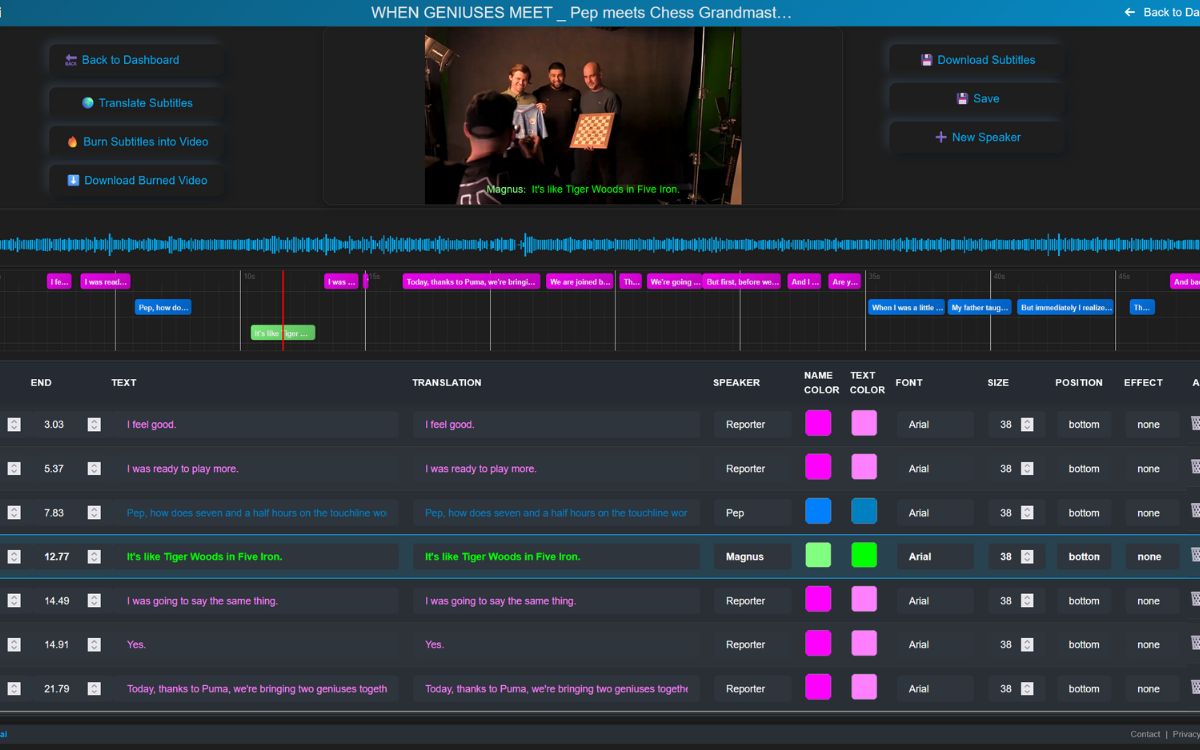
Review auto-generated captions, refine line breaks and adjust timing directly in the studio timeline.
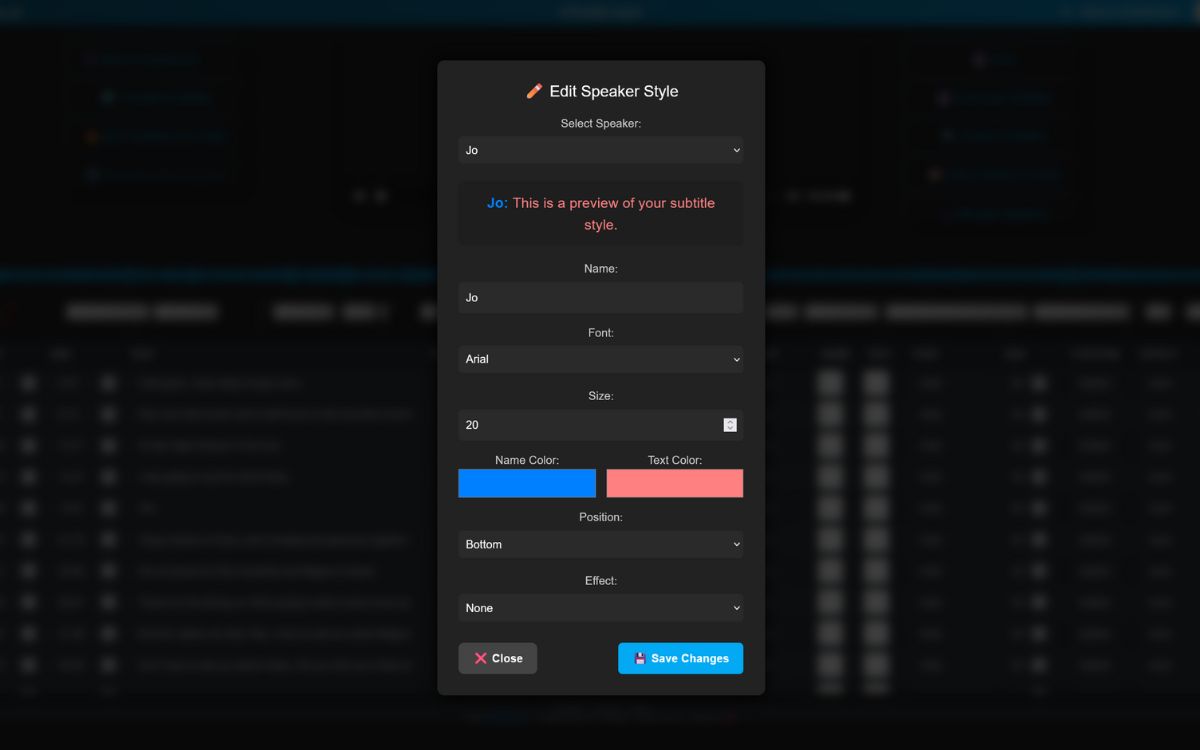
Apply clean, mobile-first subtitle styles with fonts, colors, backgrounds and speaker templates.
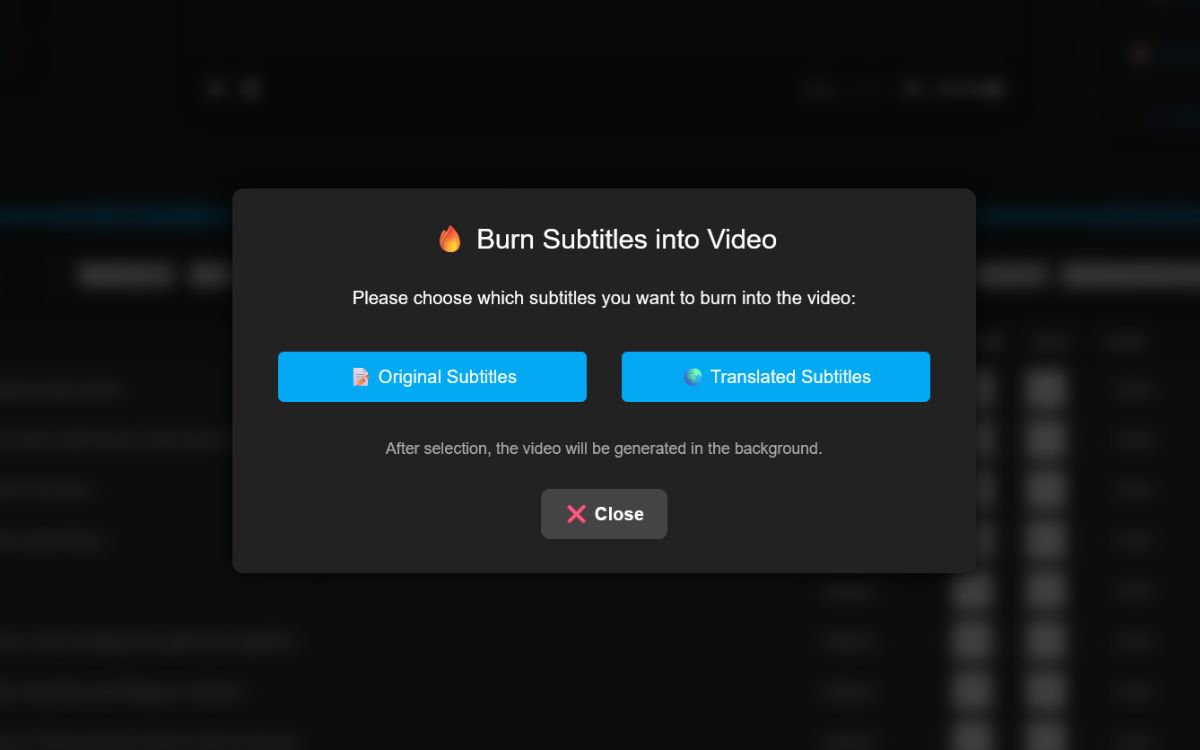
Choose burned-in export for platform-proof playback, and optionally download SRT/ASS as well.
A simple 3-step path from raw video to a finished, platform-proof MP4 with burned-in subtitles.
Drag & drop your MP4 (or other supported formats). The AI generates subtitles automatically.
Refine text, improve readability, assign speakers and apply clean style presets for mobile-first viewing.
Select the burned-in export and download a ready-to-publish MP4.
Both formats are useful. subvideo.ai lets you export burned-in MP4 and also SRT/ASS when you need editable tracks.
Available subtitle formats depend on timing, project type and editor. A subtitle download does not unlock additional designs.
Free account: standard style, Aesthetic Dark and Fire Beast; adjust size and position and save your combinations.
Export the finished video without the Free watermark.
An SRT or ASS file contains no video. Import subtitles for editing; for burned-in MP4, start with a suitable video project in the editor.
 SRT · VTT · ASS
 HTTPS transport
 No account needed to start
Stop relying on inconsistent subtitle support. Generate AI captions, refine your style, and export hardcoded subtitles for reliable playback across every platform.
Burn subtitles into my videoQuick answers about burned-in MP4 exports, vertical content and combining hardcoded with SRT/ASS.
Yes. Hardcoded subtitles are ideal for Shorts, Reels and TikTok where mobile readability matters most.
An SRT or ASS file contains no video. Import subtitles for editing; for burned-in MP4, start with a suitable video project in the editor.
Available subtitle formats depend on timing, project type and editor. A subtitle download does not unlock additional designs.