Works everywhere
Your subtitles stay visible even when platforms ignore or strip subtitle tracks.
Need a final MP4 with subtitles already embedded? Generate AI captions, refine timing and style, and export hardcoded subtitles that look perfect on every platform — no extra subtitle files required.
Hardcoded subtitles (burned-in captions) are ideal when you want guaranteed readability, consistent styling, and platform-proof results. They solve the most common pain of external subtitle files: unpredictable rendering.
Your subtitles stay visible even when platforms ignore or strip subtitle tracks.
Lock fonts, colors and placement so your caption look never changes across devices.
Short-form content benefits most from crisp, high-contrast burned-in subtitles.
Real screenshots from the Subvideo.ai studio. See how you generate AI subtitles, refine timing and export a hardcoded MP4 in minutes.
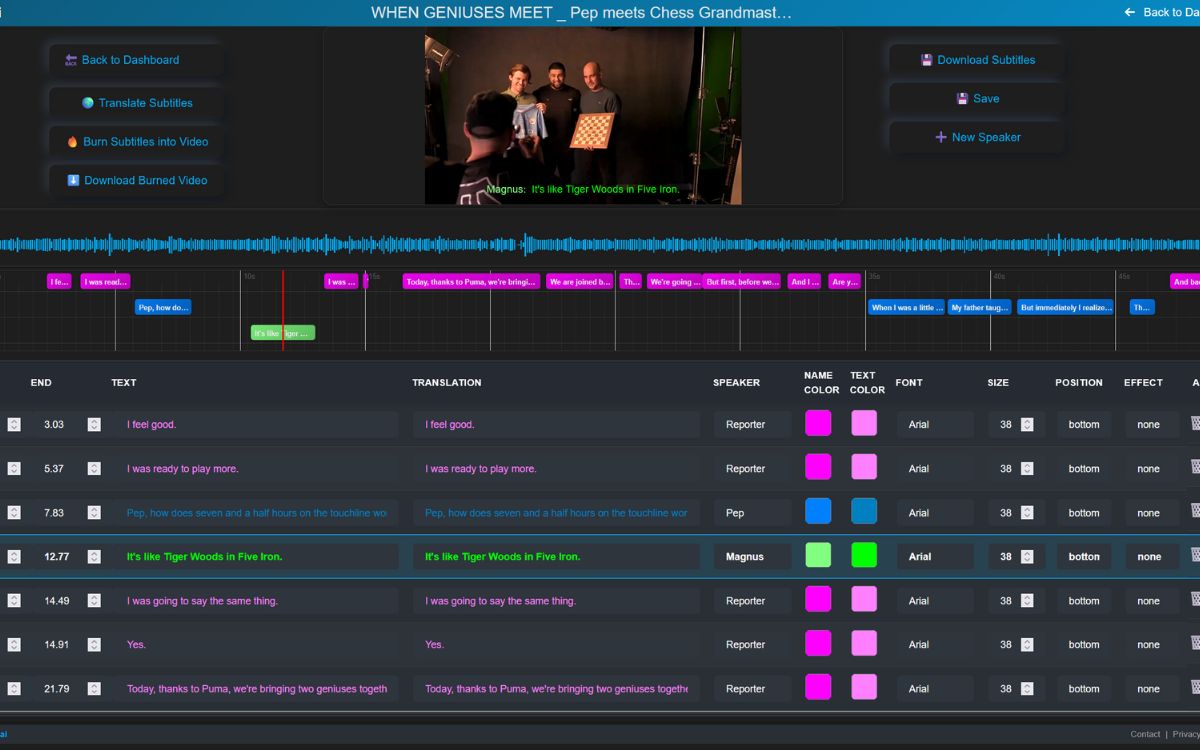
Review auto-generated captions, refine line breaks and adjust timing directly in the studio timeline.
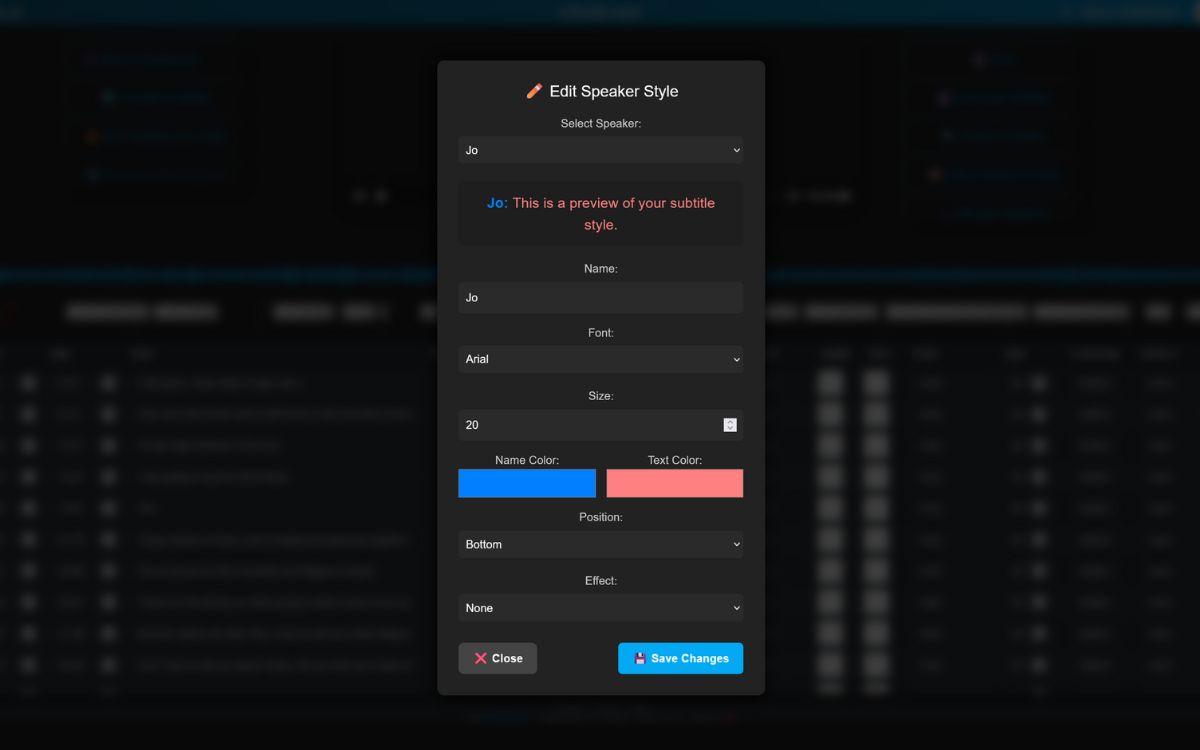
Apply clean, mobile-first subtitle styles with fonts, colors, backgrounds and speaker templates.
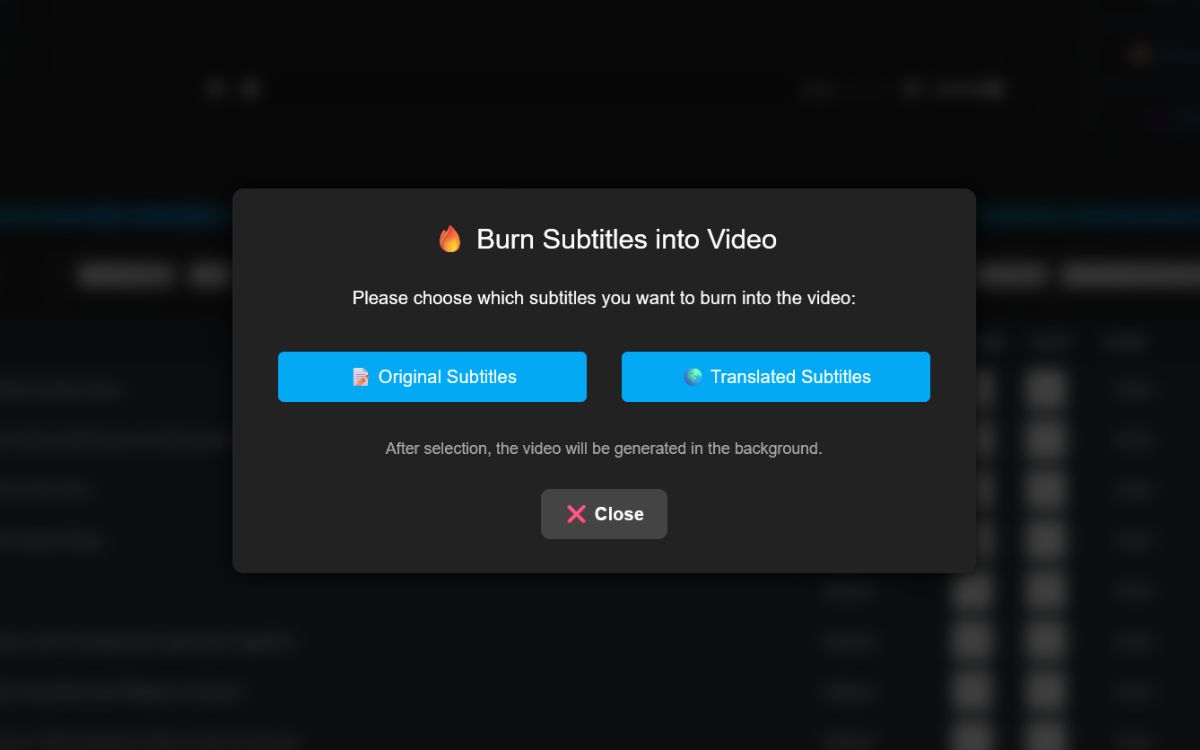
Choose burned-in export for platform-proof playback, and optionally download SRT/ASS as well.
A simple 3-step path from raw video to a finished, platform-proof MP4 with burned-in subtitles.
Drag & drop your MP4 (or other supported formats). The AI generates subtitles automatically.
Refine text, improve readability, assign speakers and apply clean style presets for mobile-first viewing.
Select the burned-in export and download a ready-to-publish MP4.
Both formats are useful. subvideo.ai lets you export burned-in MP4 and also SRT/ASS when you need editable tracks.
Start in guest mode and test the workflow quickly. Upgrade only when you need higher export quality, faster processing, or advanced styling for client-ready delivery.
Upload, generate subtitles, preview the style and see how your hardcoded result will look.
Ideal for branded content, agencies, and creators who need polished, high-quality exports.
Upload a video or subtitle file, let AI create and clean your subtitles and you will be redirected to the editor as soon as processing is done.
 Hosted in the EU – GDPR-compliant
  Secure 256-bit encryption
  No account needed to start
 Stop relying on inconsistent subtitle support. Generate AI captions, refine your style, and export hardcoded subtitles for reliable playback across every platform.
Burn subtitles into my videoQuick answers about burned-in MP4 exports, vertical content and combining hardcoded with SRT/ASS.
Yes. Hardcoded subtitles are ideal for Shorts, Reels and TikTok where mobile readability matters most.
No. Subvideo.ai generates subtitles automatically. You can also import an existing SRT.
Absolutely. Many creators hardcode for social clips and keep SRT/ASS for long-form or multilingual publishing.